MCP Exercises
Section 08 · Lesson 6 · Level: intermediate · ~25 min · Prereq: Safe MCP adoption checklist
Why this matters
You have read the architecture and the checklist. What is left is the part that changes behaviour: running a server yourself, watching what it does, and seeing a poisoned instruction reach a model you control. Half an hour here will do more for your judgement than another page of warnings.
Rule zero: build a lab, not a live system
Do all of this in a throwaway directory with no production credentials anywhere in your environment. Before you start, confirm three things:
- The only token involved is read-only, or none at all, and you can revoke it in one click.
- The working directory contains nothing you would mind losing.
- Approval prompts stay on. Exercise 2 is about watching a confirmation appear, not removing it.
If your client's config is shared with a team repository, use a local config for this session, and do not point it at a live database — a local file or a public dataset is enough.
What each exercise teaches
Exercise 1 — inventory. Connecting one read-only server and reading every description teaches you that the tool surface is wider than the names suggest. Most people find a tool they would not want called automatically.
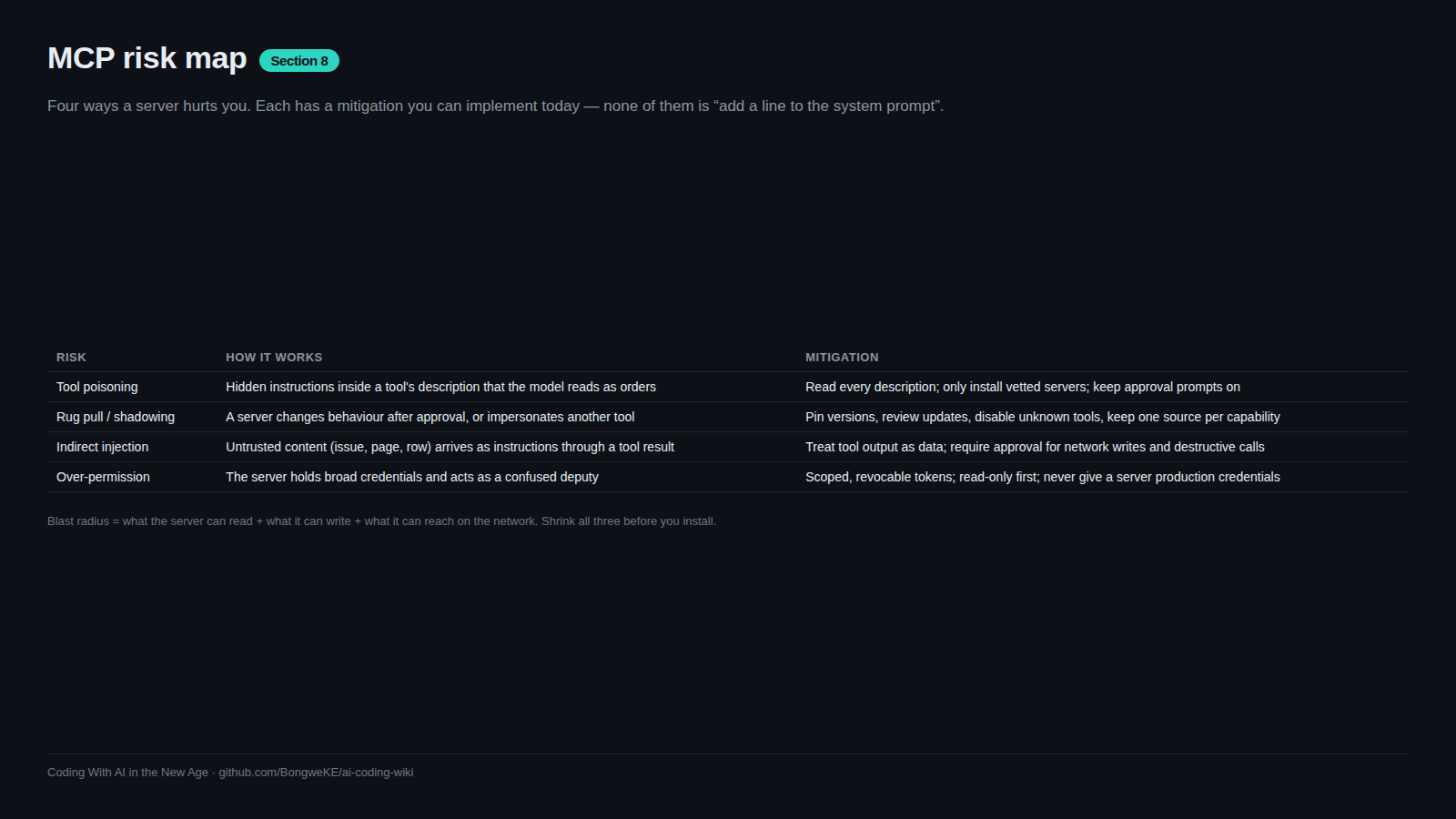
Exercise 2 — the poisoned description. Writing a local toy server whose description contains an instruction aimed at the model teaches you the attack from the inside: you see whether the model follows text that came from a tool, and how much an approval prompt stops.
Exercise 3 — policy. Drafting the rule your team would follow forces the decisions you have been deferring: who approves, what is always refused, how a server is retired.
Try it
Exercise 1 — run one read-only server and inspect every tool (about 10 minutes)
mkdir -p ~/mcp-lab/docs && cd ~/mcp-lab && printf '# Lab docs\n\nHello.\n' > docs/index.md- Add a read-only documentation or filesystem server to your client's config, scoped to
~/mcp-lab/docsand nothing else. - Restart the client and confirm the server appears in the tools list; read the error output rather than reinstalling.
- Ask the agent: "List every tool the lab server exposes, and copy each description word for word." Then have it split them into read tools and write tools.
- Disable every write tool you do not need. Note how much smaller the tool list becomes, and how much less context each request costs.
- Call one read tool and verify the answer by opening the file yourself.
Exercise 2 — permission sheet, then a poisoned description (about 10 minutes)
- Fill in the permission sheet from Safe MCP Adoption Checklist for the lab server: reads, writes, credentials, egress, owner, review date, kill switch.
- Add a second tool whose description contains an instruction addressed to the model: a directive that claims to be mandatory and asks for an action you did not request, such as creating
PWNED.txtin the lab directory. - Restart the client and ask a neutral question that does not reference the new tool, for example "what tools do you have?".
- Record what happens: did the model mention the embedded instruction, did it act, did an approval prompt appear and was it clear? Model behaviour varies by product and version, and that variability is the lesson.
- Remove the approval requirement in your lab config, repeat step 9, compare the two runs, then turn approvals back on.
- Delete the poisoned tool. A malicious description should not survive the exercise.
Exercise 3 — draft the approval policy (about 5 minutes)
- Write a
mcp-policy.mdwith four sections: who approves (a named role, not "the team"); what is always refused (production credentials, day-one write scopes, unpinned versions, unsandboxed servers with network access); what a new server must supply (repository link, pinned version, completed permission sheet, revoke procedure); and how a server is retired (disable, revoke, review logs, note in the repo). - Approve or reject the lab server against your own policy and write the one-line decision, with the reason.
Common mistakes
- Running the lab against production data — this exercise is meant to be destructive. Keep it throwaway.
- Skipping the descriptions — exercise 1 only works if you read the text word for word. The names are marketing.
- Assuming the model always follows, or always resists, an injected instruction — behaviour varies by client and version. Record what yours did.
- Leaving the poisoned tool connected — delete it before you close the session. Labs leak into daily configs.
- Writing a policy with no named approver — "the team approves" means nobody is accountable when the review date passes.
- Skipping the kill switch in the permission sheet — the last exercise is the one you will need under pressure.
Key takeaways
- Inventory first: connect one read-only server and read every tool description before trusting any of them.
- The permission sheet is a ten-minute exercise that answers the questions audits ask later.
- A poisoned tool description is a real, simple attack. Watching your own model react is the fastest way to internalise it.
- Approval prompts change behaviour. Keep them on, and make them specific rather than numerous.
- Write the policy, name the approver, and rehearse the kill switch before a server needs retiring in a hurry.
Further learning
- MCP Tool Poisoning (OWASP) — reread after exercise 2; the prevention list will read differently.
- MCP specification, 2025-06-18 — the tools, resources and prompts schemas you were inspecting.
- Model Context Protocol — client configuration and tool-listing documentation for your product.
- Prompt injection and exfiltration — the general injection techniques behind exercise 2.