Local To Cloud Walkthrough
Section 07 · Lesson 9 · Level: beginner · ~25 min · Prereq: Deploy on Railway
Why this matters
You have read about builds, variables, migrations, staging and gates. This page is where they all run in order, on one tiny project, until a URL you can send to a friend responds with data from a cloud database. Do it once end to end and the next project is a checklist instead of a research project. Expect one deliberate failure in the middle: you will deploy code before its database is ready, see it break, and fix it from the logs.
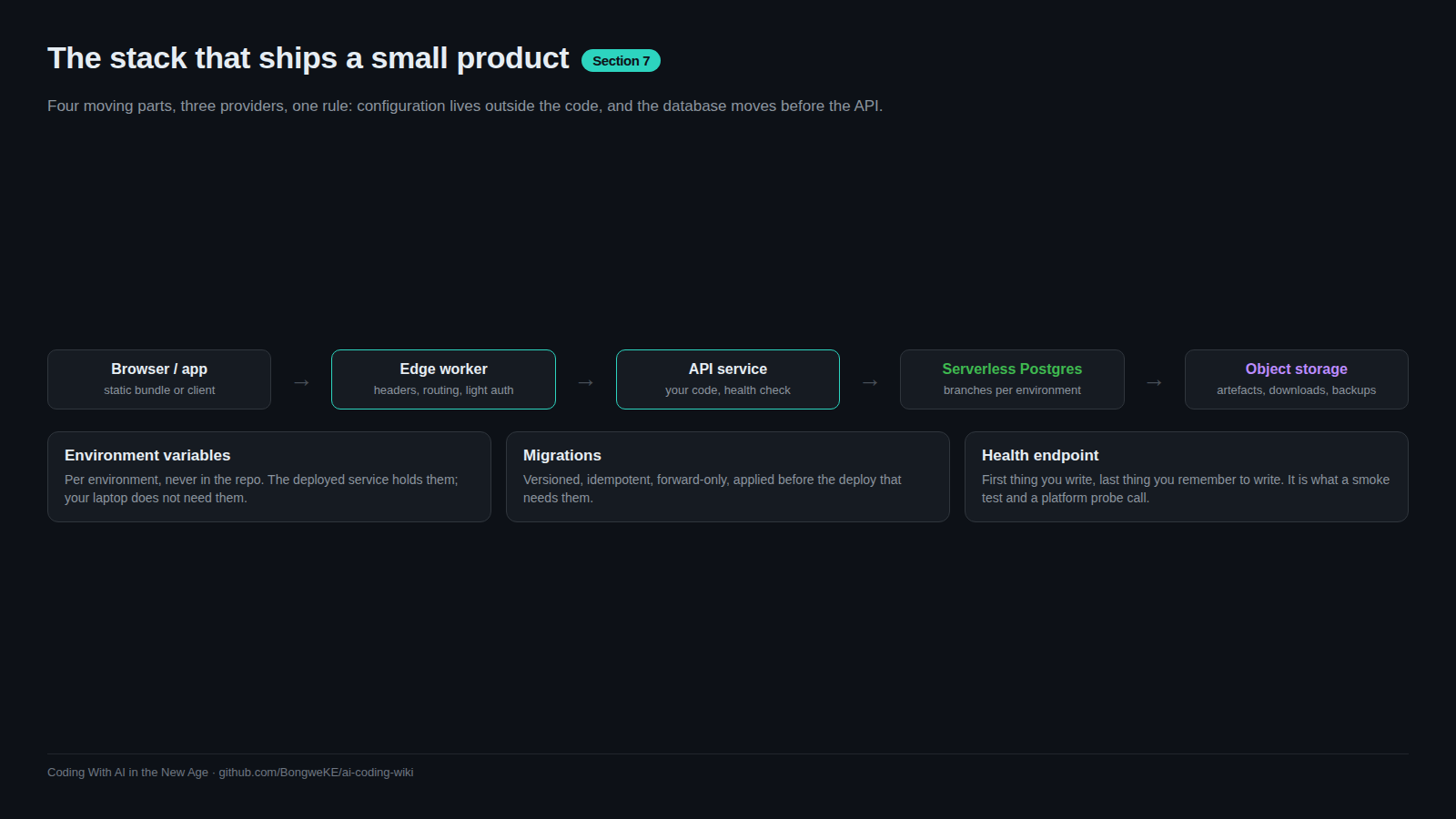
Step 1 — a local API in an empty folder
mkdir hello-cloud && cd hello-cloud
npm init -y
npm install express pg
server.js:
const express = require("express");
const { Pool } = require("pg");
const app = express();
const pool = new Pool({ connectionString: process.env.DATABASE_URL });

app.get("/health", async (_req, res) => {
  try { await pool.query("SELECT 1"); res.json({ status: "ok", db: "connected" }); }
  catch { res.status(503).json({ status: "degraded", db: "unreachable" }); }
});

app.get("/greetings", async (_req, res) => {
  const { rows } = await pool.query("SELECT id, text FROM greetings ORDER BY id");
  res.json(rows);
});

app.use(express.static("public"));
app.listen(process.env.PORT || 8080, () => console.log("listening"));
Note what it does not do: it never hard-codes a port, and it never falls back to a default connection string.
Step 2 — a database in the cloud
Create a project in your Postgres provider and copy the pooled connection string. Write it to .env and ignore that file now, before your first commit:
printf 'DATABASE_URL=%s\n' "<pooled-connection-string>" > .env
printf 'node_modules/\n.env\n' > .gitignore
Create the schema as a migration file, then apply it:
-- infra/migrations/0001_greetings.sql
CREATE TABLE IF NOT EXISTS greetings (
  id   BIGSERIAL PRIMARY KEY,
  text TEXT NOT NULL
);

INSERT INTO greetings (text)
SELECT 'hello from the cloud'
WHERE NOT EXISTS (SELECT 1 FROM greetings);
psql "$DATABASE_URL" -f infra/migrations/0001_greetings.sql
# CREATE TABLE
# INSERT 0 1
Step 3 — the deliberate failure
Run the API without DATABASE_URL, exactly as a misconfigured deploy would:
env -u DATABASE_URL npm start
# listening
curl -s http://localhost:8080/health
# {"status":"degraded","db":"unreachable"}
The process started, so this is not a build failure — it is a configuration failure, and the health endpoint says so. Now fix it and watch the same endpoint change state:
npm start                                   # with .env loaded by your shell
curl -s http://localhost:8080/health
# {"status":"ok","db":"connected"}
curl -s http://localhost:8080/greetings
# [{"id":1,"text":"hello from the cloud"}]
That difference — started but degraded versus connected — is the reason a health check should touch the database. This is the failure you will meet most often in production, and you now know its signature.
Step 4 — deploy the API
railway login
railway init                                # create a project, environment "staging" first
railway variable set DATABASE_URL="<pooled-connection-string>" --service hello-cloud
railway up --ci                             # build logs, exits when the build ends
railway domain                              # prints the public hostname
curl -s https://<your-host>/health
# {"status":"ok","db":"connected"}
If the build fails, read the build logs; if the deploy succeeds and /health returns 503, your variable is wrong or missing — the runtime logs will show the connection error.
Step 5 — a static frontend
Add public/index.html that fetches /greetings and renders the list, commit it, and railway up again. Same service, one URL, no CORS problem — good enough for a first deploy. When the frontend grows, move it to an edge worker (wrangler deploy) and keep the API where it is; see Edge with Cloudflare Workers.
Step 6 — CI on pull requests
Create .github/workflows/ci.yml that runs on pull_request, installs dependencies and hits /health on a locally started server against a test database. The point is not completeness; it is that no pull request merges without at least one automated check. Then protect main so the check is required (see Branch protection and required checks).
Step 7 — a staging environment
Create a second environment in the platform and a branch of the database for it, then deploy the same code there with staging variables:
railway environment new staging
railway up --environment staging --service hello-cloud
Verify one thing that proves isolation: insert a row on staging and confirm production's /greetings does not show it.
Step 8 — a gated promotion
Add .github/workflows/promote.yml triggered by workflow_dispatch and referencing a GitHub environment named production with a required reviewer. The job runs the test suite, applies pending migrations to the production database branch, deploys the API, then smoke tests /health and /greetings. Run it once with gh workflow run promote.yml --ref main and watch it pause for approval.
flowchart TD
    U["Browser"] --> W["Static frontend (same service, then edge)"]
    W --> A["API service - staging environment"]
    W --> B["API service - production environment"]
    A --> DB1["Postgres branch: staging"]
    B --> DB2["Postgres branch: production"]
    G["Git push to main"] --> CI["CI gates: install, test, smoke"]
    CI --> A
    M["Manual dispatch + reviewer approval"] --> P["Promotion workflow"]
    P --> MIG["Migrate production branch"]
    MIG --> B
The checklist for your next project
- One deploy trigger per environment; a
/healththat checks the database. - Every environment-specific value in variables, never in code;
.envignored from commit one. - Migrations are files, idempotent, and applied before the code that needs them.
maindeploys to staging automatically; production only through an approved workflow.- A smoke test after every deploy, and one real flow checked by a human before you relax.
- A spend limit and an alert on every account with a card attached.
Try it
- Work through steps 1–8 above in order. Do not skip step 3; the failure is the lesson.
- After each step, append the command and its output to
docs/deploy-log.md, so you can diff a failing deploy against a working one later. - Prove isolation by inserting a row on staging and confirming production does not show it.
- Send the production URL to one person and have them load the page on their own device.
Common mistakes
- Fixing the deliberate failure by adding a default connection string. That converts a loud 503 into silent data going to the wrong database.
- Deploying before the migration. The API starts,
/healthmay even pass, and/greetingsreturns a 500 about a missing relation. - Committing
.envin the first commit. Rotate the credential; assume it is public. - Using the direct database host from the API. Use the pooled connection string for application traffic.
- Testing "isolation" by intuition. Write a row on staging and look for it in production.
- Leaving the promotion ungated because it is only your project. The gate is what makes the habit survive a second person.
Key takeaways
- The whole loop is short: folder, migration, deploy, health check, frontend, CI, staging, gate.
- A degraded-but-running process is a configuration failure; a health check that queries the database names it.
- Migrations are pruned files applied before the code, and the order is not negotiable.
- Staging is only staging if its data is isolated; prove it once.
- Keep the deploy log; the second project goes faster because the first one is written down.
Further learning
- Railway Quick Start — the platform's own guided version of steps 4–7.
- Deploying with the CLI — every flag used above.
- Neon documentation — creating the project and branching for staging.
- GitHub Actions documentation — writing
ci.ymlandpromote.yml. - CI troubleshooting — what to do when the pipeline itself is the problem.