Cost Control For Side Projects
Section 07 · Lesson 8 · Level: intermediate · ~15 min · Prereq: Environments and promotion
Why this matters
Small projects do not die from a bill they saw coming. They die from a bill they did not see: an unattended GPU job, a free tier that expired mid-month, a workspace spending cap that trips and disables everything at once. The fixes are cheap and boring — a limit, an alert, one instance instead of three, a cache. None of them help if you set them up after the first surprise.
Know where the floor is
Write down four numbers per service: the free allowance, the first paid tier, the price per unit after that, and the metric that unit is measured in (GB-months, requests, tokens, minutes). Providers publish all four.
Then set two things before you need them: a spend limit (a hard cap) and an alert at, say, 50% and 80% of it. Treat the alert as a product feature, not admin. A shared workspace hit its monthly spend cap once and the platform disabled serving for every app in it — including one whose own usage was about ten cents for the month. The budget had been eaten by unrelated experiments. Nothing about that app was expensive; the workspace was. Know what shares a cap with you, and never let something you care about share one with something you do not.
Cheap by design
The largest savings come from architecture, chosen before launch:
- Scale-to-zero databases for side projects. Idle time should cost storage, not compute.
- One instance. A second replica doubles compute for capacity you probably do not have traffic for.
- Compute sized to the job. A small always-warm box can cost more per month than a larger occasionally-warm one. For GPU work, pick the model that fits.
- Batching and caching. Batch endpoints are commonly half price and cached input tokens commonly a tenth; a response cache hit costs no tokens at all.
- Cheap models for mechanical work. Classification, extraction and formatting do not need your best model.
Cost telemetry: per request, not per month
A monthly total tells you that you spent money. It cannot tell you whether you are getting value. Track cost per unit of work instead:
-- cost per answered query, from your own telemetry
SELECT date_trunc('day', created_at) AS day,
       count(*)                                     AS queries,
       sum(prompt_tokens + completion_tokens)       AS tokens,
       round(avg(estimated_cost_usd), 5)            AS avg_cost_per_query,
       round(sum(estimated_cost_usd), 2)            AS daily_cost
FROM query_logs
WHERE created_at > now() - interval '14 days'
GROUP BY 1 ORDER BY 1 DESC;
One team measured a median of roughly $0.0017 per uncached query on a small RAG pipeline (measured in 2026, provider pricing from the same month). Two details are worth copying. Their first estimate was about 2× too low, because averages had been diluted by cache hits — measure cached and uncached cost separately or you will under-plan. And the strongest lever was answer length, not question difficulty: cost tracked output tokens, so a medium question with a long answer cost more than a "hard" question with a shorter one. Capping output cut cost and latency together.
Your numbers will differ. The method transfers: log tokens and an estimated cost per request, then read the distribution rather than the mean.
The stack, layer by layer
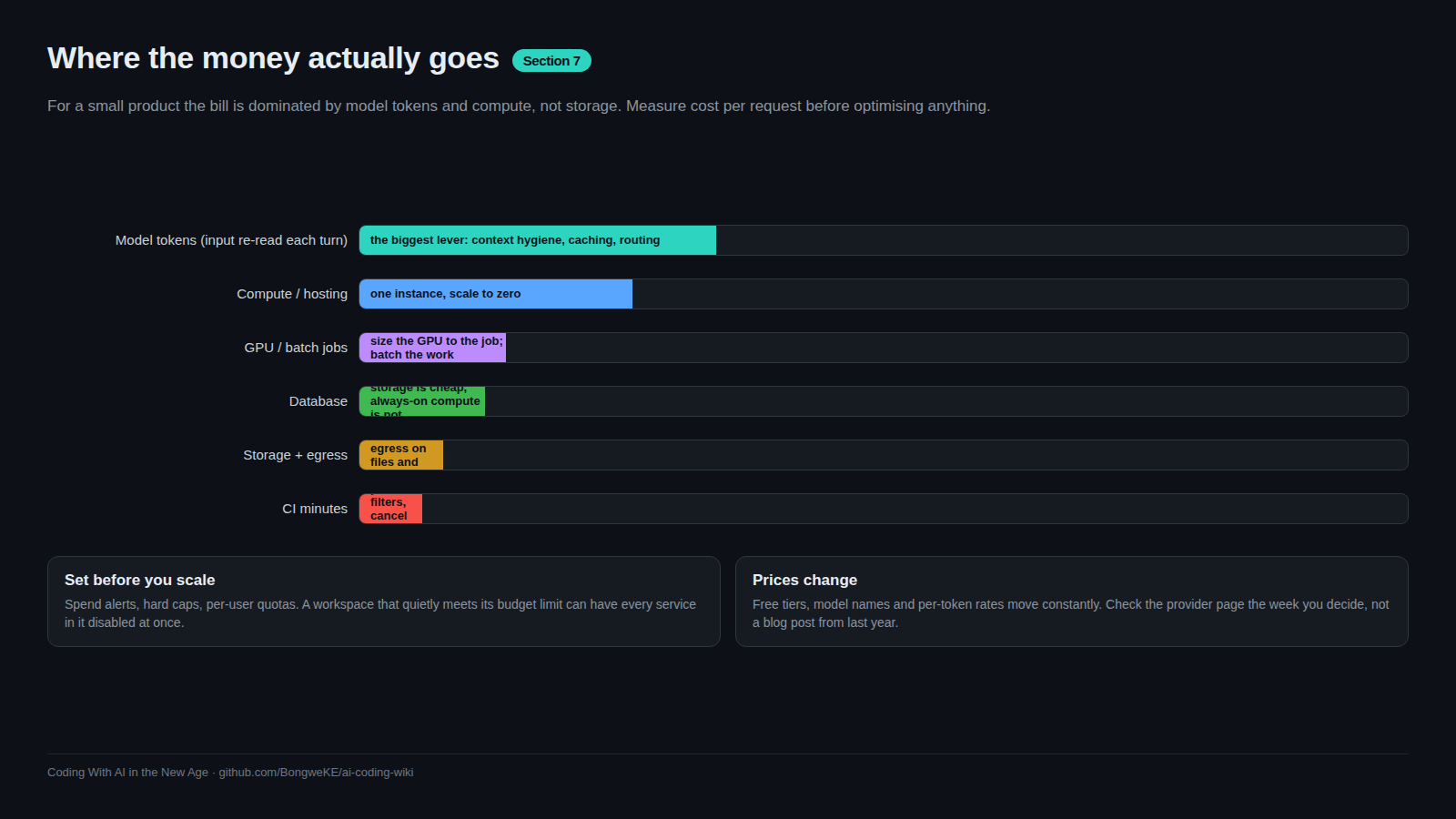
flowchart TD
    S["Monthly bill"] --> C["Compute: app instance hours"]
    S --> D["Database: storage plus compute hours"]
    S --> E["Storage and egress: bytes out"]
    S --> T["Model tokens: input and output"]
    S --> I["CI minutes: pipeline runs"]
    C --> C1["Knob: one instance, right-sized"]
    D --> D1["Knob: scale to zero when idle"]
    E --> E1["Knob: cache at the edge, compress responses"]
    T --> T1["Knob: cap output, cache, use cheap models"]
    I --> I1["Knob: path filters, so unchanged layers skip jobs"]
Two layers get forgotten because they are invisible until they bite. Egress appears only under heavy traffic. CI minutes appear only when a pipeline runs four jobs for a documentation-only change — a path filter that skips the database and API jobs when only the frontend changed is one of the highest-value lines in a workflow file.
When to stop optimising
Stop when the bill is a predictable fraction of revenue (or of what you would pay for a tool doing the same job), when further savings cost engineering time worth more than the dollars saved, and when the thing you would remove is what provides resilience — the backup, the second environment, the monitoring. Expensive is fine when the product pays for itself. Write it down: "we accept up to $X/month while this service earns $Y". That sentence turns a surprise invoice into a decision.
Try it
- Create
docs/cost.mdwith a table: service, free allowance, current usage, price per unit, and the cap you set. - Set a spend limit and a 50% alert on every account with a payment method. If a provider cannot cap spend, note that in the file and check weekly instead.
- Add token and cost columns to your logs, then run the query above for the last 14 days.
- Fire 100 requests at a staging endpoint, divide the provider's reported usage by 100, and write the per-request figure (plus its date) in
docs/cost.md. - Add a path filter to one workflow so a docs-only change skips the deploy jobs, and confirm in the Actions tab that they were skipped rather than run.
Common mistakes
- Setting an alert instead of a limit. An alert needs someone watching; a limit acts.
- Sharing a spend cap with unrelated experiments. One tripped workspace cap disabled an app that cost cents. Separate the caps.
- Planning from the mean cost per request. Cache hits dilute it; measure cached and uncached separately.
- Leaving unused environments running. Every forgotten staging service and branch keeps its own bill alive.
Key takeaways
- Write down every free allowance and the metric that ends it, then set a limit and an alert.
- A tripped spend cap can disable everything that shares it — separate what matters from what does not.
- Cheap by design: scale to zero, one instance, right-sized compute, batching, caching, cheap models.
- Measure cost per request and read the distribution; averages hide the tail and the cache dilution.
- Decide the spend you will accept while the product earns, then stop optimising.
Further learning
- Railway documentation — usage-based billing, cost control and spend limits.
- Neon documentation — how scale-to-zero and compute hours appear on a bill.
- GitHub Actions documentation — runner minutes, and how to stop paying for jobs you did not need.
- Token economics and budgets — the same discipline applied to agent work.
- Token and cost discipline — keeping per-session agent cost visible.