The Agent Loop
Section 01 · Lesson 3 · Level: beginner · ~12 min · Prereq: From autocomplete to agents
Why this matters
An agent that finishes in one shot is the exception. Real work is dozens of small steps, and the difference between a session that ends in a green test and one that ends in a confident mess is whether each step is checked before the next begins. The loop is the machine; verification is what keeps it honest.
The five beats of the loop
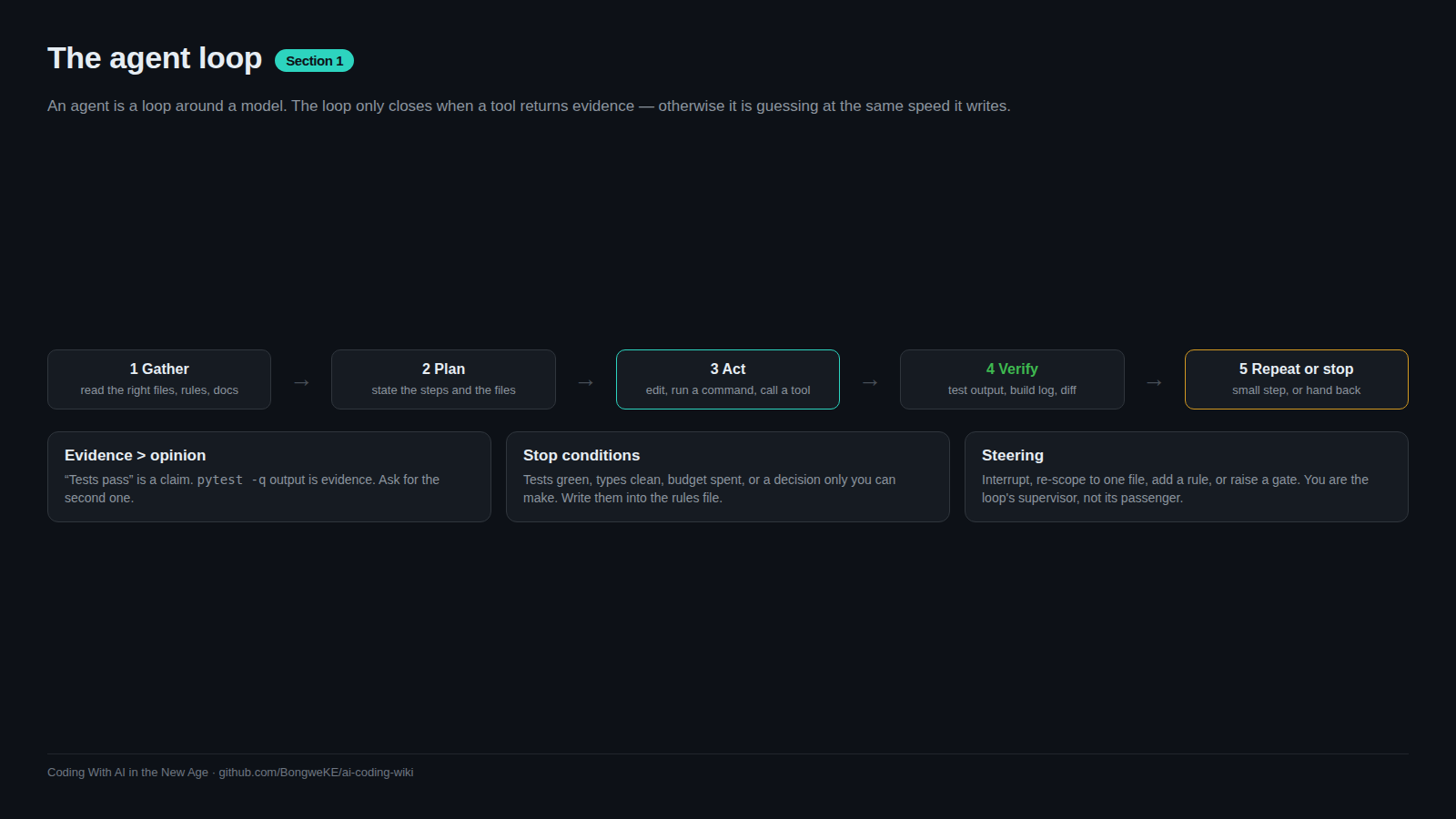
Every agent session, whether it looks like magic or chaos, moves through the same beats: gather context, plan, act with a tool, verify, then repeat or stop. The diagram is the whole idea.
flowchart TD
    A["Gather context: read files, grep, list"] --> B["Plan the next step"]
    B --> C["Act: edit a file, run a command"]
    C --> D["Verify against evidence: test, build, diff"]
    D -- "evidence passes" --> E{"Task done?"}
    D -- "evidence fails" --> F{"Stuck or budget spent?"}
    E -- "no" --> A
    E -- "yes" --> G["Report with proof, request review"]
    F -- "no" --> A
    F -- "yes" --> H["Stop and ask a human"]
Anthropic describes agents simply as LLMs using tools in a loop, and recommends a four-phase habit for coding: explore, plan, implement, commit. The plan step matters more than it looks. Their guidance is to let the agent read before it writes, because a plan you approve is cheaper than a diff you reject — but also to skip planning when the change fits in one sentence.
Verification must be a tool result
The loop only closes if "verify" produces something the model can read that is not its own opinion. A test suite that prints 2 passed is a signal. A build that exits non-zero is a signal. The agent saying "this should now work" is not.
Anthropic's coding guidance is blunt about this: the check is anything that returns a pass or fail the model can read in the conversation — a test, a build exit code, a linter, a script that diffs output against a fixture, or a screenshot compared to a design. Without one, "looks done" is the only signal available, and you become the verification loop: every mistake waits for you to notice it.
Our own notes repeat the lesson from the other direction. A callback that returned a literal ok looked like success for weeks while doing nothing. An inherited proof-of-concept turned out to be theatre because nobody ran it. In both cases the fix was the same: demand the raw output. A related rule is that the agent doing the work should not be the only one grading it — a fresh reviewer, a second model, or an adversarial pass catches what the author's own reasoning missed, which is the same reason human code review exists.
Stop conditions you can name
A loop without a stop condition either stops too early or runs up a bill. Name the conditions before you start:
- Tests pass, and you have seen the output.
- Types or the build check clean.
- A review is requested, because you — not the agent — decide the change is right.
- A budget is exhausted: a step limit, a time limit, or a token limit.
Some tools let you set the condition explicitly. Claude Code's /goal runs a separate evaluator after each turn, and a Stop hook can block the turn from ending until your script passes — trading setup for the attention you would otherwise spend watching. If the agent stalls with the goal unmet, the run stops, which is the correct outcome. A stuck loop is a signal, not something to push through with more tokens.
Steering a loop that has gone wrong
When the loop drifts, you have four levers, in order of how much they cost you.
- Interrupt. Stop the run and correct course early. Anthropic's advice is to course-correct early and often; a wrong assumption repeated for twenty steps is twenty times harder to unwind.
- Re-scope. Shrink the task to one verifiable change, then re-enter the loop. A task you cannot state in one sentence has a spec problem, not a model problem.
- Add a rule. If the agent keeps making one mistake, write the rule into the project's instruction file so every future session starts with it — and prune rules that no longer matter, because a bloated file gets ignored.
- Raise the gate. When a mistake got through, tighten verification: require a failing test first, block the turn on a hook, or require a review before the change lands.
Steering is also a context skill. Correcting in the conversation fixes this session; correcting in the rules file fixes the next one too. That is the argument of A taxonomy of context.
Try it
- Give an agent a task with a built-in failure signal: "Write a
slugifyfunction with three tests, run them, and show the output." Confirm you see a real failure before the fix. - Repeat the task with the tests removed. Notice that the same model now reports success with no evidence behind it.
- Add one rule to your project's instruction file based on a mistake you just saw, then start a new session and check whether the agent follows it.
Common mistakes
- Accepting "done" as evidence — a status claim without output is unverified. Ask for the command and its result.
- Letting the agent grade itself — an author is a poor reviewer. Add a fresh check or a second opinion.
- Running with no stop condition — unbounded loops burn tokens and confidence. Set a step or budget limit.
- Fixing a drifted loop with more turns — if it is going wrong after several steps, interrupt and re-scope; volume will not repair a bad assumption.
Key takeaways
- The loop is gather, plan, act, verify, repeat or stop — not a single generation.
- Verification must be a tool result: test output, exit code, or diff, never the agent's opinion.
- Name your stop conditions before you start.
- Steer with four levers: interrupt, re-scope, add a rule, raise the gate.
- Plan for multi-file or unfamiliar work; skip it when the diff fits in one sentence.
Further learning
- Best practices for Claude Code — the explore-plan-code-commit workflow, hooks, and verification gates.
- Building effective agents — the pattern catalogue, including the evaluator-optimizer loop.
- GitHub Actions documentation — where a loop's checks should eventually run for real.